💡 Abstract
AI photo editors speed up upscaling, object removal, and background swapping without Photoshop skills, but every tool involves trade-offs in workflow, pricing, and limits. Across the seven tools reviewed, HIX AI focuses on text-prompt edits and subject consistency, Adobe Firefly emphasizes brush selections, relighting, and commercial safety, and Canva pairs AI tools with marketing templates and team collaboration. Fotor combines one-click tools with manual sliders, Picsart targets fast social edits with AI Replace and Extend, Pixlr offers low-cost starting pricing alongside manual layers and AI utilities, and DeepAI pairs prompt and one-click edits with an embedded Photopea editor.
Photo editing used to require deep design experience and hours of wrestling with complex layers in Photoshop. Today, you have a far faster alternative: letting AI handle the heavy lifting in seconds.
Below, we’ll walk through the 7 best AI photo editors that let you upscale low-res shots, erase unwanted objects, and remove backgrounds cleanly—with zero design skills required.
In this article
7 Best AI Photo Editors: Comparison at a Glance
| Tool | Best For | Core Features | Limits | Start Price |
|---|---|---|---|---|
| HIX AI | Conversational, prompt-based photo editing | Iterative chat-style text-prompt editing, one-click Upscale, Uncrop, Erase, Background Remover, AI Background | 20 free credits | $9.99/mo (billed annually) |
| Adobe Firefly | Precise selection control & commercially safe edits | Brush/selection Generative Fill, restyling, built-in Relight, Creative Cloud integration | Limited free credits; strict content filters | $9.99/mo |
| Fotor | Beginners seeking one-click photo enhancements | AI Upscaler, Magic Eraser, Camera Angles, old photo restoration, watermark remover, manual sliders & fonts | Paid plan required to download AI edits | $3.33/mo (billed annually) |
| Canva | Marketing visuals & real-time team collaboration | Magic Edit, Magic Eraser, Background Remover, Magic Grab, Magic Expand, templates, team co-editing | Limited free AI uses; core AI tools locked behind Canva Pro | $12/mo (billed annually) |
| DeepAI | Quick text-prompt edits with optional manual control | Text-prompt image editing, one-click enhance, background removal, animate, embedded Photopea editor | Limited free daily usage | $7.50/mo (billed annually) |
| Pixlr | Blending manual layer editing with AI automation | Text-prompt editing, background removal, layer extraction, Image Upscaler, Image Extender, Generative Fill | Daily save limit on free plan | $1.99/mo (billed annually) |
| Picsart | Fast social media retouching & creative effects | Background removal, AI Enhance, element removal, AI Replace, AI Extend, one-click effects, text-prompt edits | Limited free AI credits; key AI tools locked behind paid plans | $6.50/mo (billed annually) |
In-Depth AI Photo Editor Reviews
To help you find the right fit for your creative workflow, we’ve outlined the core features and key trade-offs of each platform. Here is a closer look at what each AI photo editor brings to the table—along with its main pros and cons.
HIX AI Image Editor
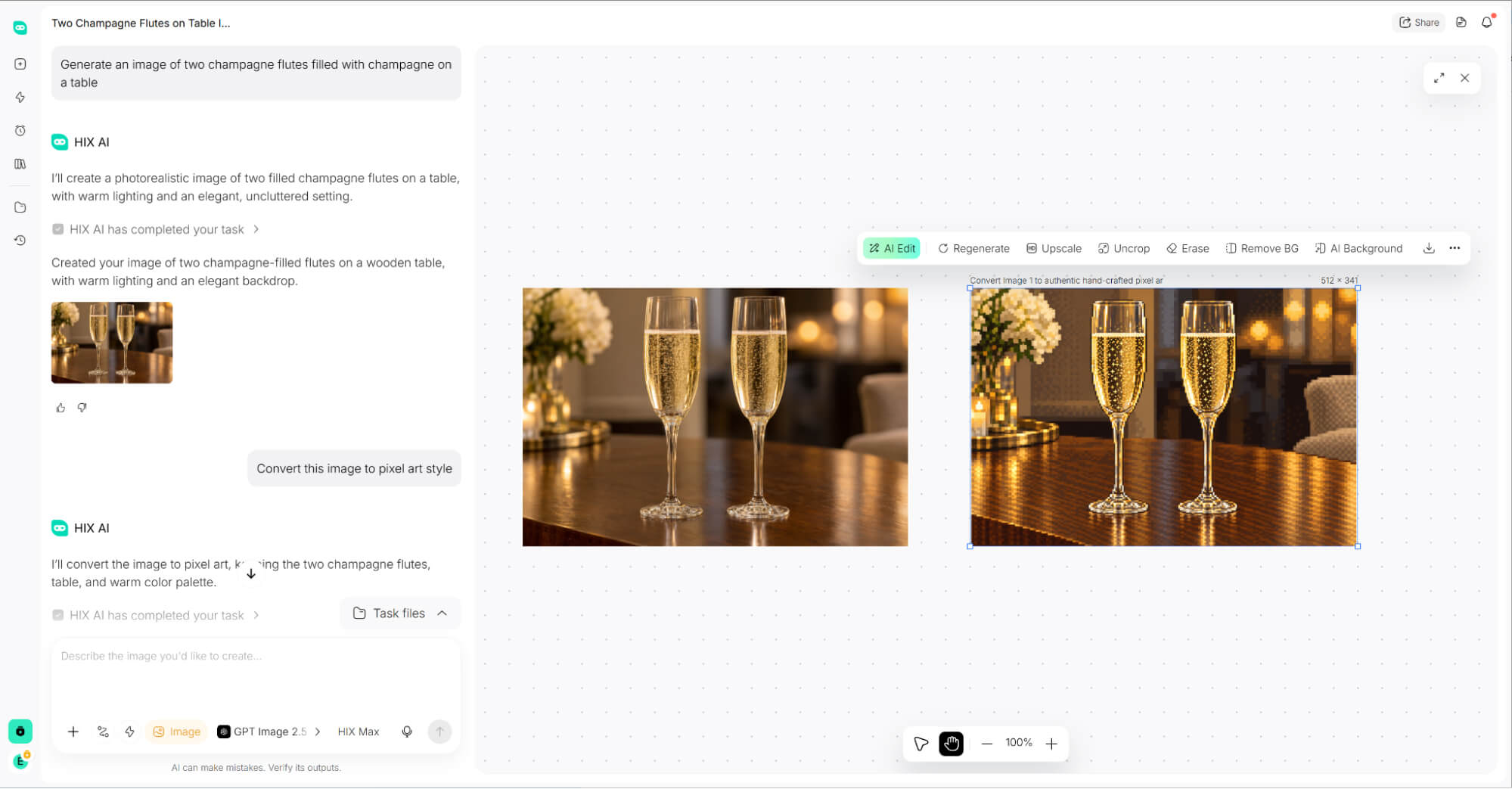
What makes HIX AI Image Editor so refreshing is that you can edit photos simply by typing text prompts. Even with zero design experience, you just describe the changes you want—whether you’re switching up the visual style, adding new details, or removing unwanted objects from a shot.
For routine tasks and specialized workflows, built-in shortcuts let you upscale image resolution, remove backgrounds, or swap in a brand-new backdrop in seconds. You can just as easily turn casual photos into studio-grade AI headshots or transform plain product shots into polished advertising visuals.
Best of all, every edit preserves strong subject consistency. Whether you’re refining a portrait or staging a product ad, your main subject stays crisp, natural, and recognizable—without the awkward distortions common in other AI tools.
Pros
- Effortless text-prompt editing
- Time-saving one-click shortcuts
- Strong subject consistency
- All-in-one browser workspace
Cons
- No granular manual layer control
- Limited free credits
Adobe Firefly AI Image Editor
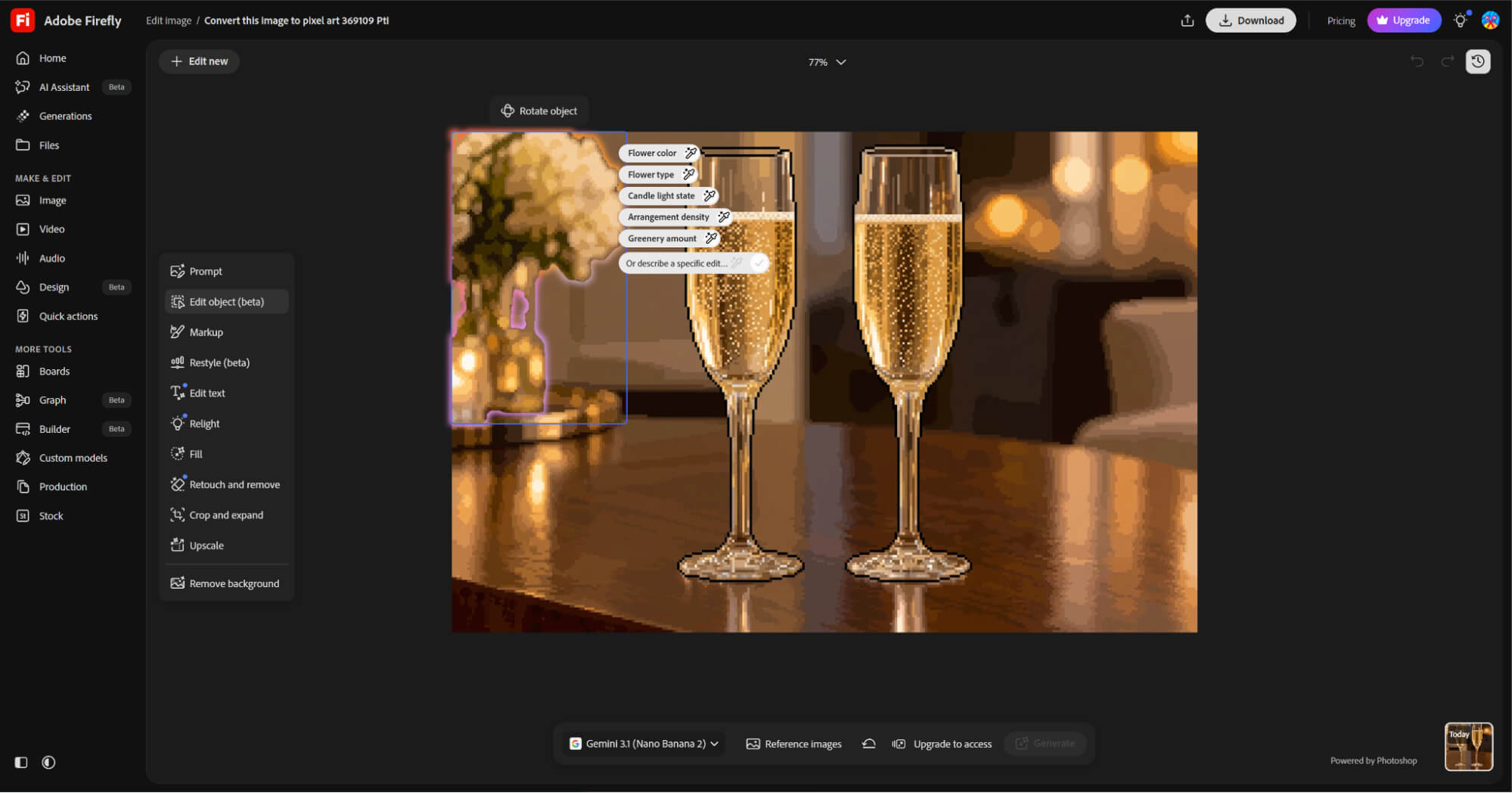
Adobe Firefly’s AI image editor stands out for fine-grained control. Alongside text prompts, you can use a brush or selection box to isolate specific areas for markup or restyling, preventing the AI from guessing hard-to-describe details.
It also includes a built-in Relight feature that lets you adjust light sources directly within your image. This gives you a simple, intuitive way to correct harsh lighting and salvage poorly lit photos without starting over.
Pros
- Fine-grained brush & selection control
- Built-in relight & lighting adjustment
- Commercially safe AI models
- Seamless creative cloud integration
Cons
- Limited free monthly credits
- Overly strict content moderation filters
Fotor AI Photo Editor
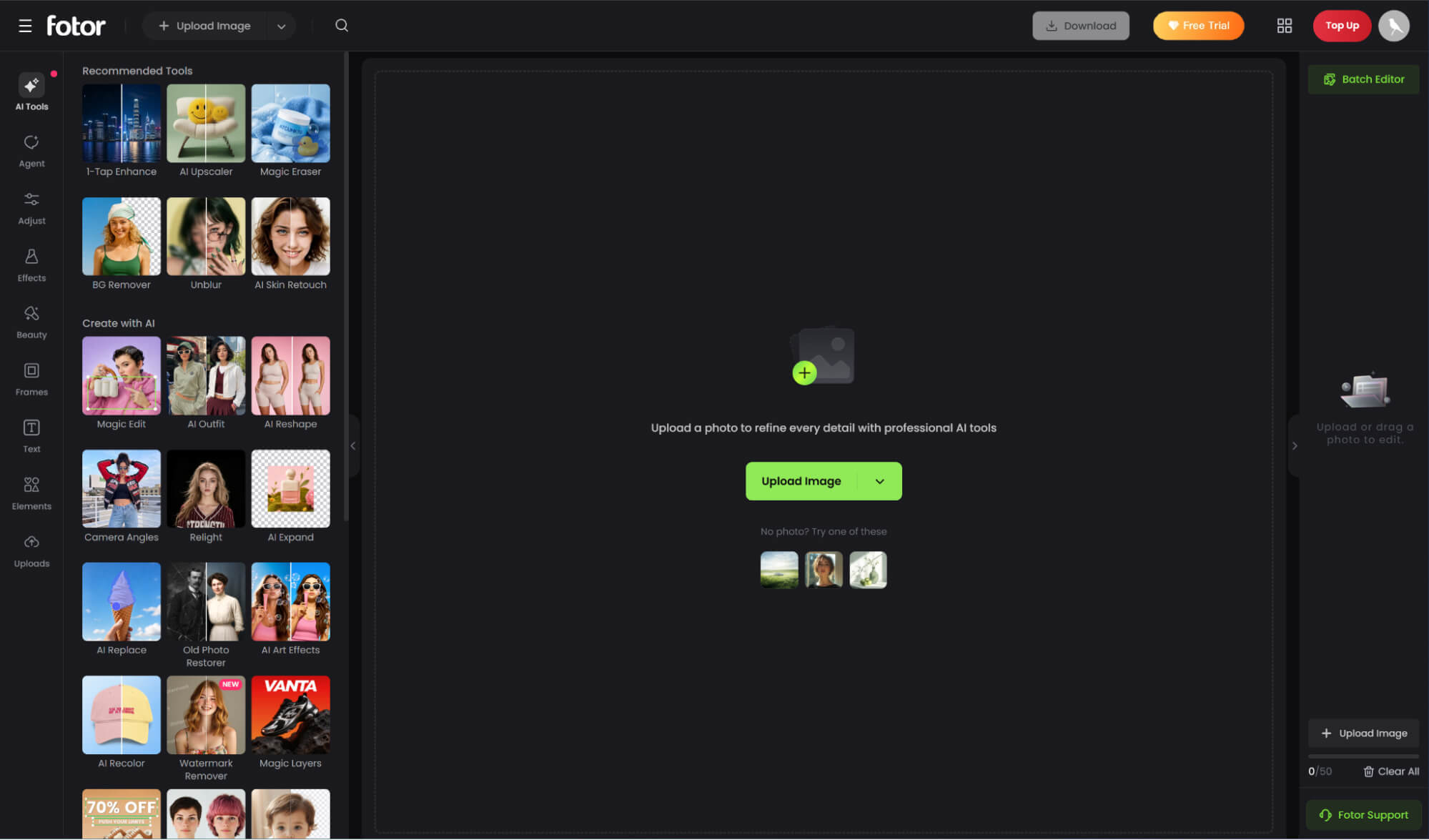
Fotor AI photo editor packs a wide range of one-click AI tools into an approachable interface. Beyond everyday essentials like the AI upscaler and magic eraser, it includes specialized features such as Camera Angles to shift image perspectives, old photo restoration, and a built-in watermark remover.
Alongside these one-click editing features, Fotor offers manual adjustment sliders for fine-tuning color, lighting, and tone. You also get access to a rich library of photo effects, graphic elements, and stylish fonts, making it easy to polish both raw photos and social graphics in one place.
Pros
- Wide variety of one-click AI tools
- Built-in manual adjustment sliders
- Rich library of effects, elements, and fonts
- Beginner-friendly interface
Cons
- Limited free AI credits
- Paid plan required to download AI edits
Canva AI Photo Editor
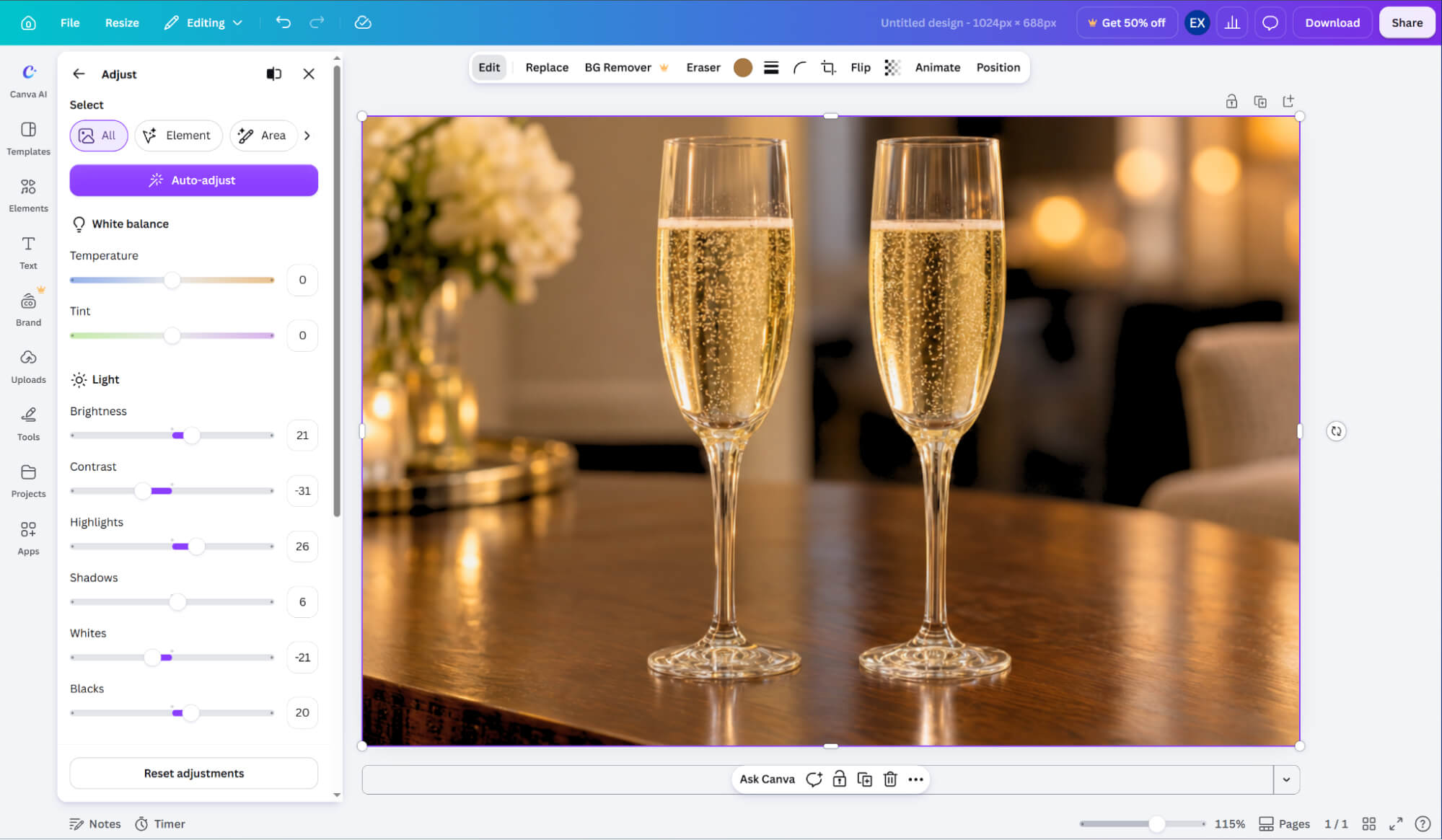
Canva AI Photo Editor packs a robust set of retouching tools directly into its design workspace. Beyond one-click Background Remover and Magic Eraser, you can use Magic Edit to swap objects with prompts, Magic Grab to reposition subjects independently, and Magic Expand to extend image borders—all alongside manual color adjustments, filters, and thousands of marketing templates.
Where Canva truly shines is real-time team collaboration. Teams can share project links, leave inline comments, and co-edit visuals simultaneously, making it an ideal hub for collaborative content creation.
Pros
- Versatile Magic Studio AI suite
- Seamless integration with design templates
- Real-time team collaboration
Cons
- Core AI tools locked behind Canva Pro
- Limited free AI usage credits
DeepAI Image Editor
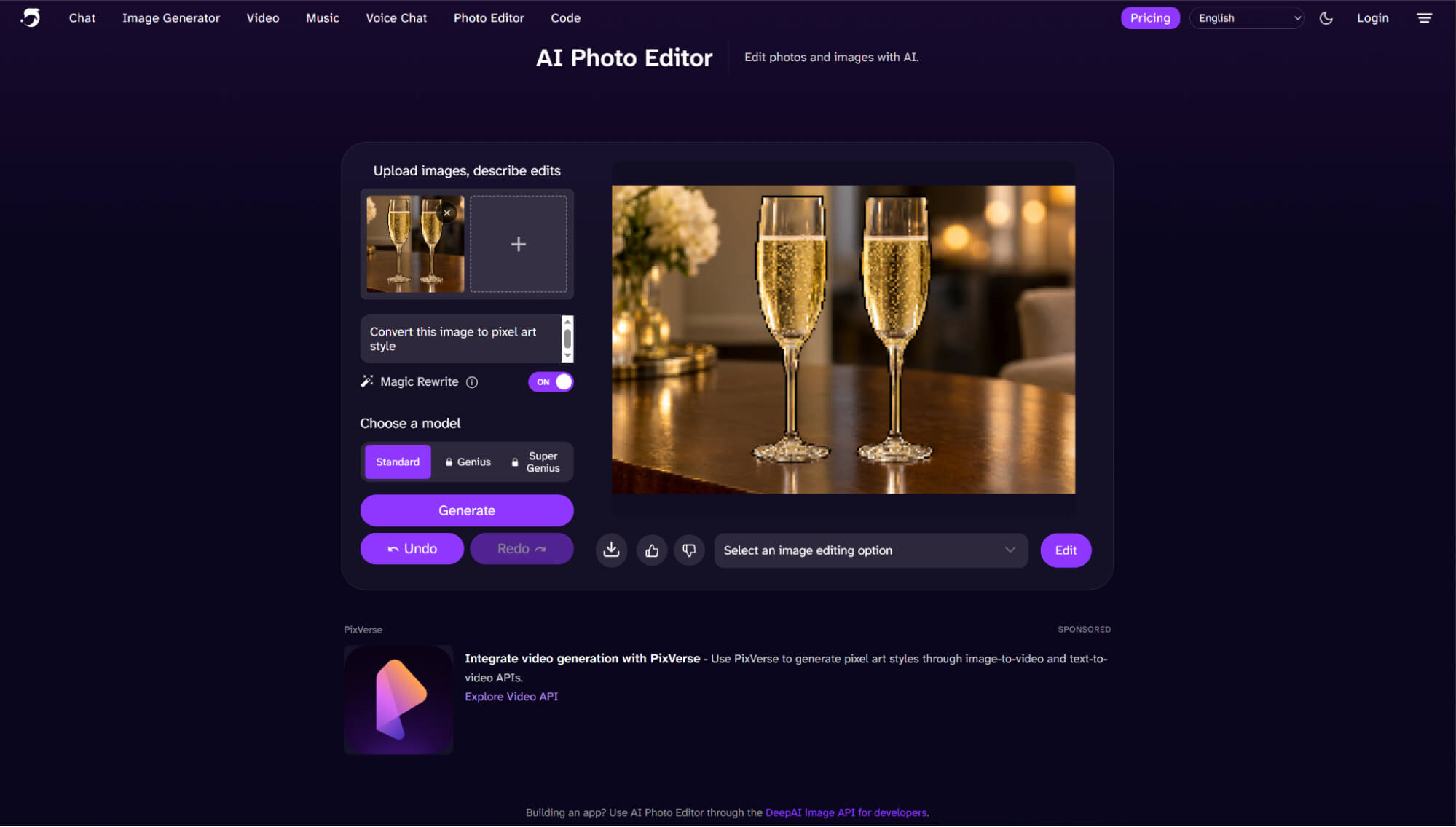
DeepAI photo editor features a clean, intuitive interface where you can upload an image and edit it quickly using simple text prompts. If you prefer preset actions, a handy dropdown menu lets you enhance image quality, remove backgrounds, or animate photos with a single click.
For users who need deeper customization, DeepAI also embeds Photopea directly into its workspace. While this adds powerful, Photoshop-style editing capabilities, it still relies heavily on manual layer adjustments—creating a steep learning curve if you have zero design experience.
Pros
- Clean, intuitive interface
- Fast text-prompt photo editing
- Convenient one-click dropdown actions
- Built-in Photopea for advanced edits
Cons
- Steep learning curve in embedded Photopea
- Ad interruptions on the free tier
Pixlr Photo Editor
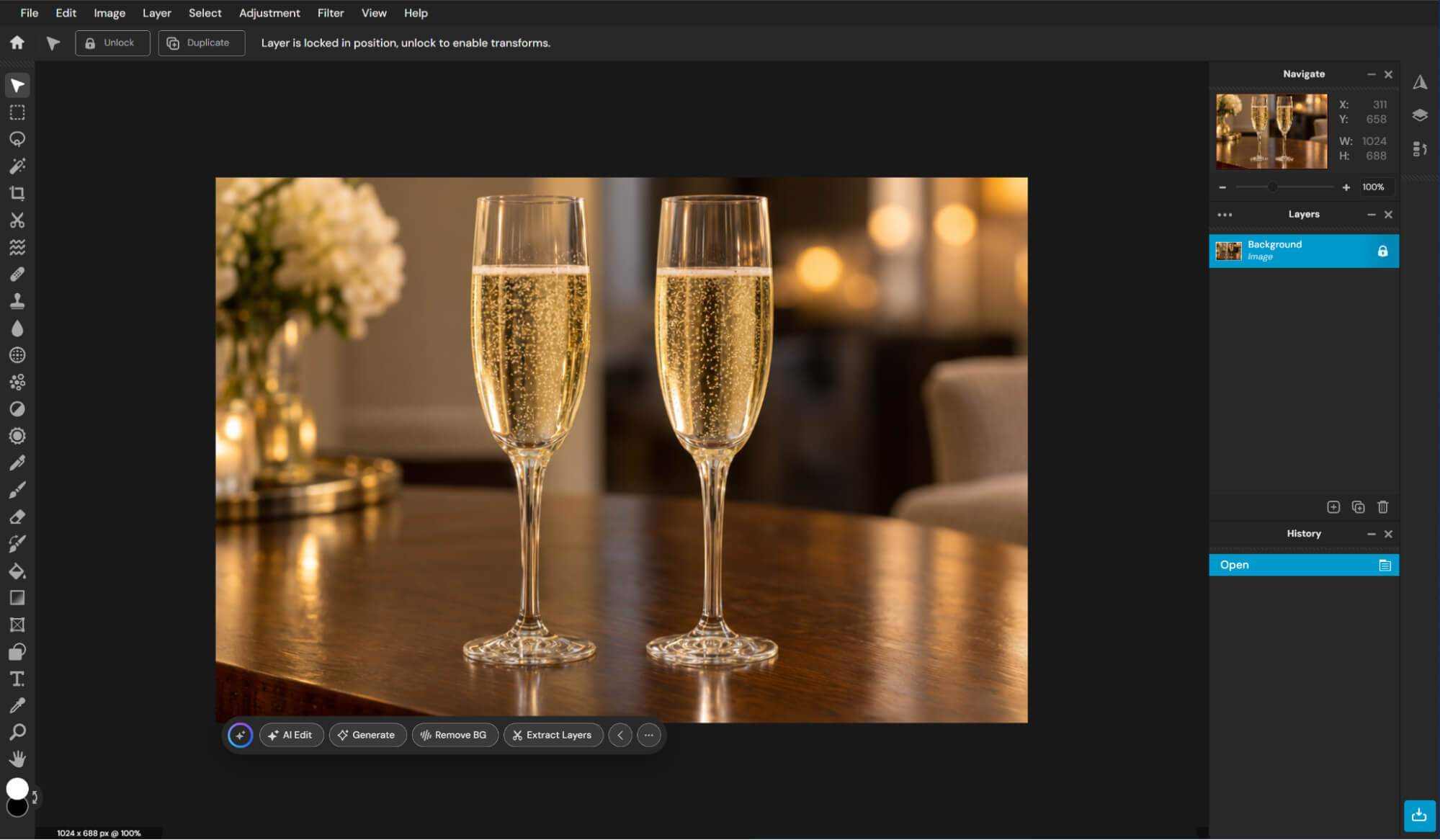
Pixlr AI photo editor bridges the gap between hands-on control and automated speed. You can pick from a familiar set of manual tools to fine-tune graphics directly, or rely on natural text prompts to edit and restyle your images automatically.
It also packs a full suite of dedicated AI utilities, including one-click background removal and smart layer extraction for isolating subjects cleanly. On top of that, built-in tools like the Image Upscaler, Image Extender, and Generative Fill make it easy to sharpen resolution, expand borders, or fill in missing details right in your browser.
Pros
- Comprehensive suite of built-in AI tools
- Fast one-click background & layer extraction
- Supports both text prompts & manual retouching
Cons
- Strict daily save limits on free plan
- Fragmented tools across separate editors
Picsart AI Photo Editor
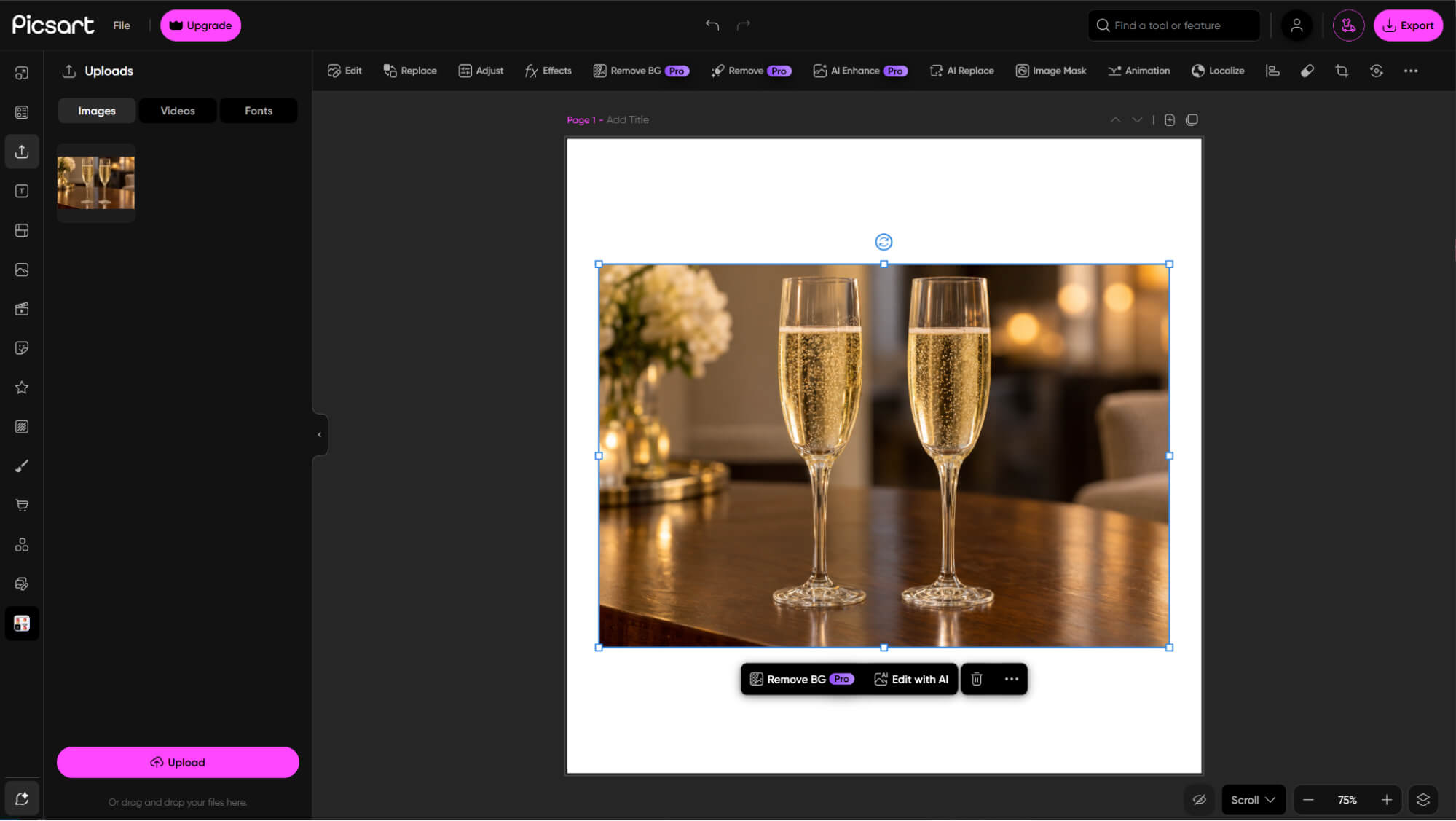
Picsart AI photo editor packs a rich suite of quick editing tools for effortless retouching. With features like background removal, AI enhancer, and element removal, you can clean up images in seconds, while AI replace, AI extend, and one-click effects make it easy to expand frames or transform visuals on the fly.
Alongside these dedicated utilities, Picsart offers flexible AI editing powered by text prompts. You can enter a simple description to restyle an entire picture or target specific elements within the image—giving you fast, intuitive control over both broad and detailed edits.
Pros
- Rich suite of one-click AI retouching tools
- Flexible text-prompt & selective layer editing
- Vast library of effects, stickers & social templates
Cons
- Very limited free AI credits
- Key AI features locked behind paid plans
- Inconsistent AI output on complex edits
How to Choose the Right AI Photo Editor
The best choice depends on what you edit most often—whether you need the best AI photo editor for ecommerce images, an AI photo editor for portraits, or a quick tool for daily graphics. Here is how our top seven tools match different workflows:
| Workflow | Tool |
|---|---|
| Ecommerce & Product | HIX AI, Canva |
| Portraits & Headshots | HIX AI, Fotor |
| Social Media | Picsart |
| Commercial Design | Adobe Firefly |
| Budget & Quick Edits | Pixlr, DeepAI |
FAQs
Can I use HIX AI Photo Editor on my phone?
Yes. HIX AI is a web-based tool, so you can use it directly in your phone’s mobile browser.
What image file formats do AI photo editors support?
Most browser-based AI photo editors—including HIX AI, Canva, and Pixlr—support standard formats like JPG, PNG, and WebP. If you shoot in camera RAW formats, you’ll need to convert them first or use desktop tools like Photoshop with Adobe Firefly.
Does HIX AI keep my uploaded images private?
Yes. HIX AI strictly safeguards user confidentiality and will never rent, sell, or share any of your uploaded images or personal data.
Can AI photo editors batch-edit multiple photos at once?
Most prompt-based editors focus on customizing one image at a time for higher precision. However, if you need to standardize dozens of ecommerce product photos quickly, tools like Canva, Fotor, and Pixlr offer batch background removal or bulk resizing features on their paid plans.
Conclusion
Every AI photo editor on this list excels in different scenarios, so the right choice comes down to your specific workflow and creative goals. Whether you need Canva for marketing templates, Adobe Firefly for commercially safe design, or Pixlr for lightweight layer control, each platform brings a distinct advantage to the table.
However, if you want a convenient, easy-to-use tool to start with, we recommend trying HIX AI Image Editor. Its intuitive text-prompt workflow, one-click shortcuts, and strong subject consistency take the guesswork out of retouching—making it effortless to create polished visuals with zero design experience.
🔒Safe • 💳Versatile Plans Offering • 🌟4.8/5 Rating